

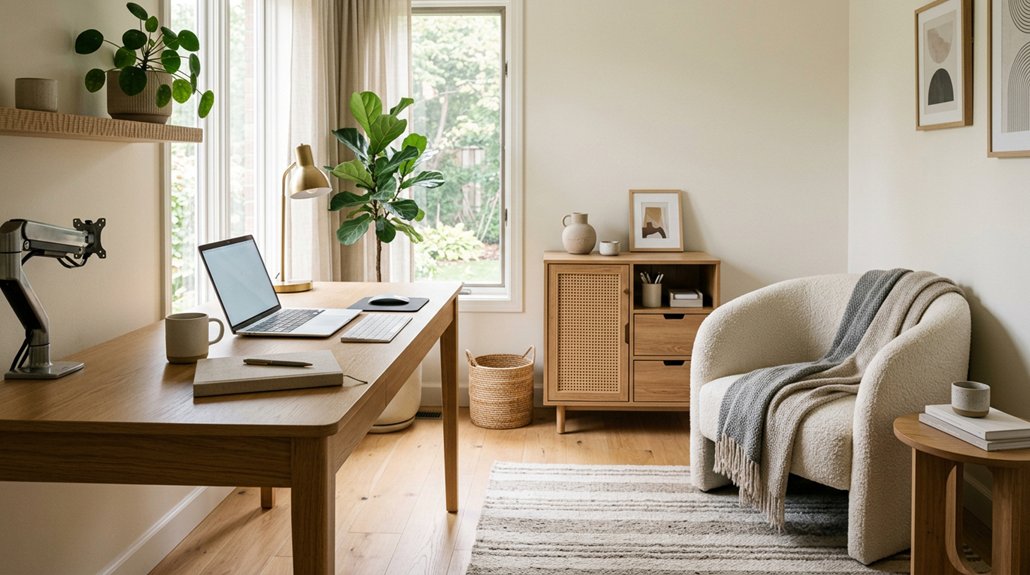
Turn an unused room into a productive home office by choosing a spot with steady internet, comfortable temperatures, and manageable noise. Map doors, windows, outlets, and walkways before placing your desk to limit glare and keep work zones clear. Choose flexible furniture and quiet, easy-access storage so the space can shift back to everyday use. Set up an adjustable chair, eye-level screen, and layered lighting for comfort. Simple routines and personal touches help the room work well beyond office hours.
Key Takeaways
- Choose an unused room with reliable internet, comfortable temperatures, manageable noise, and daylight that won’t create screen glare.
- Plan the layout around work needs, mapping doors, windows, outlets, pathways, and separate zones for household activities.
- Use flexible, dual-purpose furniture and concealed storage to switch easily between office, guest room, or shared-use space.
- Create an ergonomic workspace with an adjustable chair, eye-level screen, comfortable lighting, and room to move.
- Set household boundaries and personalize the space, then adjust the layout as routines and needs change.
Choose the Right Room for Your Home Office
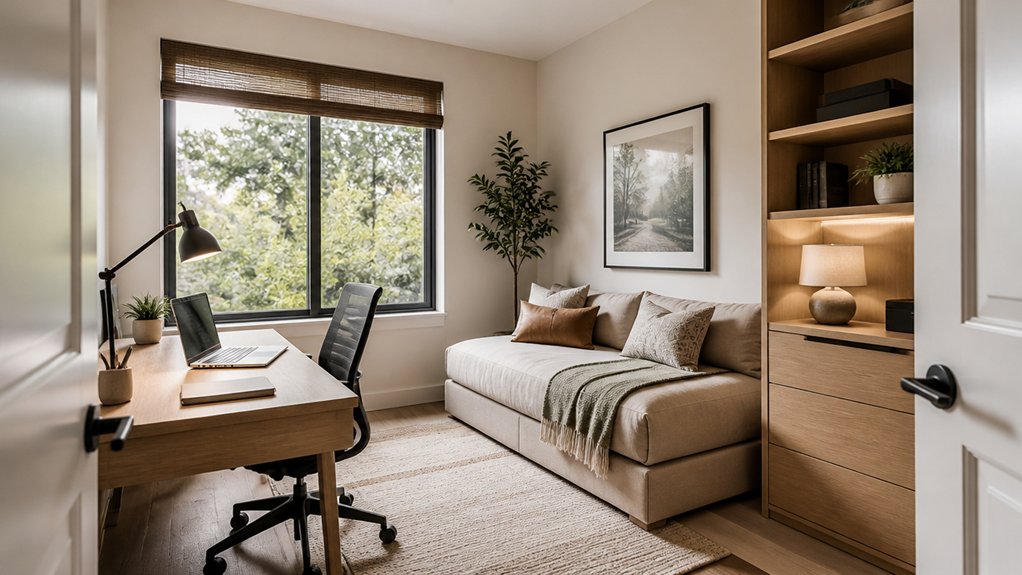
When you choose a room for your home office, look beyond empty floor space. Notice how daylight moves across the walls, whether afternoon glare hits your eyes, and how fresh the air feels with the door closed.
Thoughtful room selection starts with the work you do: a quiet nook may suit focused writing, while a brighter room can lift your energy during long calls. Listen before you settle in. Can you hear the television, footsteps, or traffic through the window?
Test noise control by closing the door at a busy hour; a solid door or distant location may make a real difference. Check for reliable outlets, steady internet, and comfortable temperatures, too.
Choose a space that helps you concentrate without isolating you from the household when you need connection.
Plan a Layout for Work and Everyday Use
Once you’ve chosen a room, map out how you’ll work in it—and how it’ll serve the household after hours. Sketch the room’s footprint, noting doors, windows, outlets, and the path you’ll take from one zone to another. Place your work area where daylight falls without glaring across your screen, and keep calls away from noisy hallways.
A rug, curtain, or bookcase can soften echoes; add soundproofing solutions if household sounds still break your focus.
Then mark the room’s everyday purpose: reading, crafting, or hosting guests. Leave a clear route through both uses, and reserve wall space for storage or decorative wall art that feels welcoming when work ends.
Test the layout at different times of day. Notice where sunlight warms the floor, where shadows gather, and whether conversations carry. Adjust zones before settling in.
Choose Flexible Furniture for a Multi-Use Office
Choose furniture that can shift as easily as the room does. Convertible furniture lets you turn a compact desk into a console or fold it away when work ends, freeing floor space for guests or hobbies. Look for smooth hinges, sturdy surfaces, and finishes that feel inviting rather than strictly office-like.
Modular designs give you another way to adapt. Pair movable shelves, nesting tables, or lightweight storage cubes, then rearrange them as your needs change. You can create a focused work zone by day and open the room for family activities at night.
Choose pieces that tuck together neatly, roll quietly, or serve more than one purpose without making the space feel crowded. A storage ottoman can hide supplies while offering extra seating; a drop-leaf table can expand for projects, then close to restore breathing room. Aim for flexibility that feels effortless.
Set Up an Ergonomic Home Office
A flexible room still needs a setup that supports your body through a full workday. Start with a chair that lets your feet rest flat and your knees bend comfortably. Adjust the seat so your hips sit level with or slightly above your knees, then support your lower back with the chair or a small cushion.
Set your screen at eye level, about an arm’s length away, so your neck stays relaxed instead of craning forward.
For comfortable keyboard placement, keep your elbows near your sides and your wrists straight as you type. A separate keyboard and mouse can help you fine-tune that position.
Try ergonomic accessories, such as a footrest or wrist rest, only when they solve a specific discomfort.
Take brief movement breaks; a quick stretch can reset stiff shoulders and keep you comfortable through changing tasks.
Light Your Home Office for Focus and Comfort
Layer soft ambient light to give your office an even, easy-on-the-eyes glow. Aim a task lamp at your work surface so details stay crisp without harsh shadows. Turn your screen away from windows or adjust its angle to cut glare and keep your focus comfortable.
Layer Ambient Lighting
How can a once-overlooked room feel calm and focused from morning to evening? Start with ambient lighting that softens harsh contrasts and gives your home office a welcoming glow. Instead of relying on one bright ceiling fixture, build layered illumination with light that spreads across the room and reflects gently off walls and ceilings.
Choose a dimmable overhead fixture or recessed lights to set a comfortable baseline. Add a floor lamp that washes a shadowy corner with warmth, or use wall sconces to create a quiet perimeter glow.
For a fresh, flexible touch, try smart bulbs that shift from crisp white during work hours to softer tones as your day winds down. Keep finishes and bulb temperatures consistent, so the room feels intentional rather than visually busy. Your eyes will thank you, and the space can flow seamlessly into its next use.
Position Task Lamps
Once ambient light sets the mood, a well-placed task lamp brings clear, focused light right where you need it. Aim its beam at your notebook, keyboard, or craft project so details look crisp without flooding the whole room.
Thoughtful lamp placement makes each work zone feel intentional: set a desk lamp beside your dominant hand, then angle the shade toward the page. If you write with your right hand, place the lamp on your left; reverse this for your left hand to keep your hand from casting a shadow.
Choose an adjustable arm or swivel head, and you can shift the glow as your tasks change. Warm, even task lighting eases visual effort and adds a comfortable pool of brightness, helping you stay focused through emails, planning, and creative work.
Reduce Screen Glare
To reduce screen glare, place your monitor at a right angle to windows rather than directly in front of or opposite them. This simple shift keeps bright reflections from washing out text and tiring your eyes.
If sunlight still spills across the display, soften it with adjustable blinds or sheer curtains; you’ll keep the room bright without the sharp glare. Choose a matte screen filter to diffuse reflections while preserving crisp details.
For a lasting upgrade, apply an anti glare window film that reduces harsh light before it reaches your desk. Then fine-tune your task lamp: aim its beam at your keyboard or notebook, not the screen.
Notice how the light feels at different times of day, and adjust your setup until your eyes stay relaxed and your focus feels steady.
Add Storage Without Cluttering Your Office
Keep your desk clear by moving supplies upward onto slim wall shelves or a pegboard.
Tuck papers and cables into hidden organizers, so you see calm surfaces instead of clutter.
You’ll make room to focus without sacrificing what you need.
Use Vertical Storage
When floor space is tight, look up: wall-mounted shelves, pegboards, and slim cabinets put supplies within reach without crowding your desk. Arrange wall mounted shelves above your work surface to keep notebooks, reference books, and a small lamp close at hand.
Use vertical stacking for labeled trays or matching bins, giving papers a clear home while leaving your desktop open. A pegboard turns blank wall into a flexible tool station: add hooks for headphones, clips for notes, and a narrow ledge for pens.
Keep frequently used items at eye level, and place occasional supplies higher up. Choose sturdy fixings that suit your wall, then group objects by task or color.
You’ll gain storage that feels orderly, not imposing, and make the room’s walls work as hard as your desk.
Choose Hidden Organizers
Tuck everyday supplies into storage that disappears beneath your desk or inside furniture. A slim drawer beneath the desktop keeps pens, cables, and sticky notes within reach, yet clears your work surface in seconds.
Choose Hidden compartments in a storage ottoman or bench, where you can stash reference books, chargers, or a folded throw. The lift of a lid feels smooth and quiet, and the room stays ready for work or guests.
Slide concealed baskets into a low cabinet to gather notebooks and spare supplies. Pick woven or felt-lined styles; they soften hard edges and hush the scrape as you pull them out.
Label each basket discreetly so you can find what you need without leaving items on display. Measure your furniture first, then select organizers that fit snugly and glide easily.
You’ll gain useful storage while keeping your office calm, open, and adaptable.
Set Boundaries Between Work and Home Life
A closed door can mark the end of the workday as clearly as a clock. Make that gesture part of your boundary setting: shut down your computer, silence work alerts, and leave the room when your hours end. A brief ritual—stacking papers, turning off a task lamp, or writing tomorrow’s first priority—tells your mind the shift is complete.
If your office serves another purpose, use a simple signal to switch modes. Close a laptop, tuck away work materials, or place a family activity on the desk.
Agree on quiet work hours with the people you live with, then protect shared time from unnecessary check-ins. These small cues help you build work life balance without letting your job spill into every room or every evening.
Personalize Your Office for Focus and Comfort
Shape the room around the way you work best: angle your desk toward natural light, choose a chair that supports your back, and keep everyday tools within easy reach.
Add personal decor that sparks ideas without crowding your workspace: a framed print, a small plant, or a textured object you enjoy touching.
Choose calming color schemes, such as soft green, warm cream, or muted blue, to ease visual noise and help you settle into focused work.
Layer in comfort with a task lamp that casts a warm pool of light and a rug that softens footsteps.
If you share the room, use a folding screen or movable shelf to create a clear work zone.
Keep adjustments simple: test one change at a time, notice how it feels, and refine the space to suit your routines.
Conclusion
An unused room can become your hardest-working square footage—without losing its everyday purpose. Choose a spot that suits your routine, then make each inch pull its weight with flexible furniture, thoughtful storage, and comfortable lighting. Set up your desk to support your body, and use clear boundaries to help work stay at work. Add colors and textures that make you feel focused and at ease. With a few smart changes, you’ll create a home office that adapts as quickly as life does.
Leave a Reply